








Dr. Lan: How Virtual Networks Improve Security and Performance
Authored by: Christian Helming | 27.03.2019
VLAN – How to increase security and performance with virtual networks
In large companies and institutions, there is a need to divide the IT network into different areas. For example, within a hospital or care facility, there may be separate networks for patients, employees, and visitors. Or within an educational institution, there may be one network for lecturers/teachers and students/pupils. Or in retail, there may be a freely accessible but separate Wi-Fi network for customers.
Such separation is advisable for security reasons. Not every participant should have access to all areas of the network infrastructure. However, separation may also be desirable for performance reasons.
There are two ways to achieve this separation. The first is to create physically separate networks. Each network has its own switches, Ethernet or fiber optic cables, and access points. There are absolutely no interfaces to other networks in the same building.
The disadvantage of such a solution is obvious: in addition to the high costs of purchasing a potentially complete second, third, or even fourth infrastructure, the costs of implementing and operating such parallel structures also increase. The second, more cost-effective but equally secure option is VLAN!
Virtual, rather than physical separation of networks
VLAN: This abbreviation stands for Virtual Local Area Network. This means that a single network is divided into several virtual networks for which corresponding rules and access authorizations can be configured. The advantage is that one and the same network infrastructure can be divided into an almost unlimited number of virtual networks. All that is required are VLAN-enabled switches (Layer 3 or Layer 2 with Layer 3 functionalities) and knowledge of switch management.
This makes VLANs a cost-effective alternative to setting up physically separate networks. This is because separation in VLANs is carried out at a logical level rather than a physical one. A configured VLAN switch only allows each participant to communicate with specific partners. All Ethernet packets are marked with so-called VLAN tags. The switches use these VLAN tags to identify the respective group membership. In addition to these tag-based VLANs, there are also port-based and so-called private VLANs.
You can find out more about the different VLANs and how to configure them in the next issue of Dr. Lan in April.
A practical example
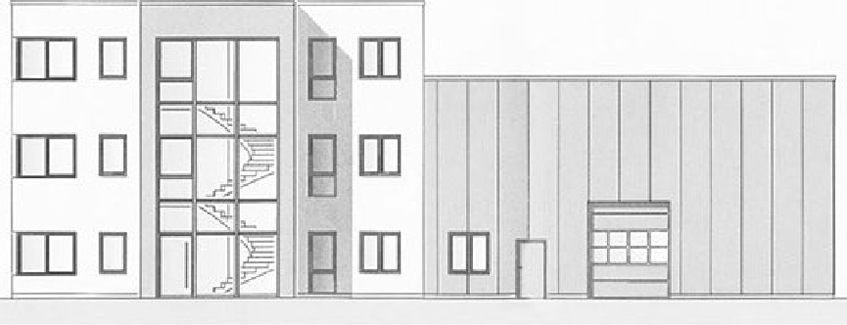
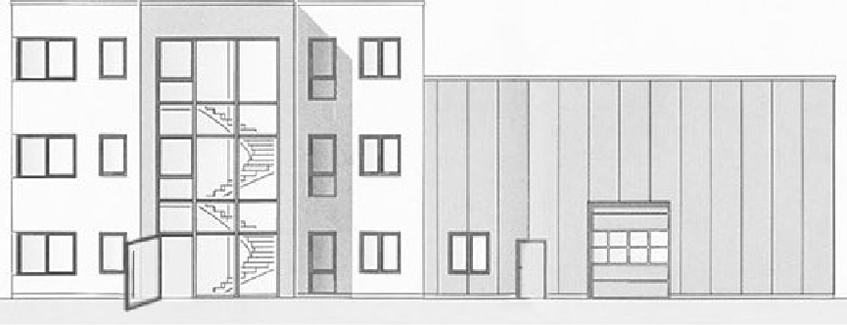
Together with partner companies, KTI was commissioned to design and build the network infrastructure in the new headquarters building of a public corporation. The challenge: the administrative headquarters also serves as a vocational school, where most of the teaching takes place in “digital classrooms.” In addition, the building is a training center. Almost every day, a large number of guests attend seminars and lectures on the premises.
The customer's specifications regarding the network structure were extensive:
- Administrative network
- Training network
- Examination network
- Guest network
All networks should share the same physical infrastructure, but be configured as logical subnets using VLANs to meet the highest security requirements.
3500 Ports in 25 different VLANs
The configuration of all switches used in this real-world application example comprised 3,500 different ports. A handful of core switches form the backbone of the network infrastructure. A three-digit number of access switches regulate data traffic throughout the building. Several dozen access points ensure optimal Wi-Fi coverage. Secure authentication is performed via the client's MAC address, which is verified by a dedicated server (RADIUS server).
When a client logs in, the switch compares the MAC address with the RADIUS server and assigns the device to the appropriate VLAN. For unregistered devices, the port remains inactive. In practice, this means that different clients connected via the same port have different usage rights based on their respective MAC addresses.
Ultimately, in this application example, the network was divided into 25 different VLANs, because areas such as building services, access control, or the time tracking system are each managed via a separate virtual network.
Successfully organizing networks
Want to learn more about successfully organizing networks? Join our two-day practical workshop on Switch Management, organized in collaboration with Avanis Academy.
This two-day seminar will get you up to speed on switch configuration and management. In addition to the basics of switch administration, you will learn everything about current network technologies and their functions. In numerous exercises - including VLAN topics - you will learn how to install, set up, and manage a switch on your own. And everything is very practical and clearly demonstrated on a real switch.